
Your Emirates ID connects you to almost every essential service in the UAE. It links your identity to government portals, banking systems, healthcare access, and visa-related processes. Because of this, your registered mobile number plays a key role in daily transactions. When your number is outdated, you may miss important OTP verifications, alerts, and approvals. This can slow down processes that should otherwise take minutes. That is why knowing how to update your mobile number in Emirates ID is not just helpful, it is necessary.
At the center of this system is the Federal Authority for Identity, Citizenship, Customs, and Port Security, commonly known as ICP. This authority manages your identity records and confirms that your details stay accurate across all government systems.
The Link Between Your Mobile Number And Emirates ID
Your registered mobile number acts as a security layer. Every time you log into a government portal or request a service, an OTP is sent to your phone. This ensures that only you can access your information.
Now imagine trying to log in with a number you no longer use. You get stuck at the verification step, and progress comes to a halt. That is exactly why learning how to check the Emirates ID-registered mobile number becomes equally important.
Ways to Change Your Mobile Number on Emirates ID
Updating your mobile number is a simple process, and you can select a method that suits your situation. Let’s walk through the available options so you can decide what works best for you.
Online Update Through ICP Smart Services
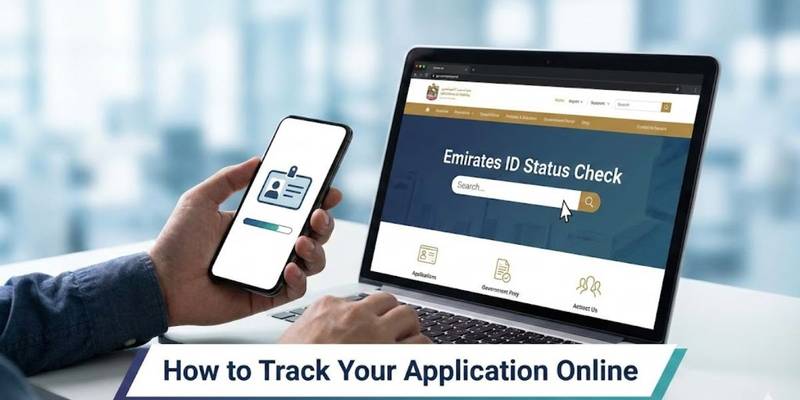
The easiest way to change your mobile number in your Emirates ID is through the ICP Smart Services portal. This method works well if you already have access to your UAE PASS account. You start by logging in securely. Then, you navigate to the personal information section and enter your new mobile number. After that, you receive a one-time password on your new number, which confirms the update request. Once you complete the payment, your application is submitted for processing.
Using The UAEICP Mobile Application
If you prefer mobile access, the UAEICP app offers a quick solution. The interface is user-friendly, which makes it convenient for users who want to update their details without using a desktop. You log in, locate the Emirates ID section, and select the option to update your mobile number. The steps remain similar to the website process, including OTP verification and payment confirmation.
Visiting Customer Happiness Centers
Some cases require in-person assistance. For example, if you cannot access your UAE PASS or face technical issues, visiting an ICP Customer Happiness Center is a reliable option. Here, trained staff guide you through the update process. They may also verify your identity using official documents before completing the request.
Authorized Typing Centers Assistance
Typing centers across the UAE provide support for government-related services. These centers handle documentation and submission on your behalf. This option is useful when you prefer guided assistance or need help understanding the process. The staff completes the application while you provide the required details and documents.
How to Change Mobile Number in Emirates ID
Now that you understand the available methods, let’s break down the process in a clear and simple way. This step-by-step explanation answers the common question of how to change the Emirates ID mobile number efficiently.
Access The ICP Platform
Visit the official ICP Smart Services website or open the UAEICP mobile app. Make sure you are using a secure connection.
Log in Using UAE PASS
Your UAE PASS acts as your digital identity. Use it to log in and access your personal records.
Select Data Update Service
Navigate to the section labeled “Update Personal Information” or “Data Update.” This is where you will find the option to modify your mobile number.
Enter Your New Mobile Number
Carefully type your new number. Double-check for accuracy before moving forward.
Verify with OTP
You will receive a one-time password on your new number. Then enter that code to confirm ownership of the number.
Pay The Required Fee
The standard fee ranges from AED 50 to AED 53, excluding typing center service charges. Complete the payment through the available online methods.
Submit Your Request
Once everything is verified, submit your application. You will receive confirmation of your request.
Processing Time and What to Expect After Submission
After you submit your request, the system processes your update within a few working days. In many cases, it takes between two and seven business days for the new number to reflect across all systems. During this period, you might still receive notifications on your old number.
Once the update is complete, all future OTPs and alerts will be sent to your new mobile number. This process answers another common concern about how to change a mobile number in the Emirates ID without delays or confusion.
Common Issues You May Face and How to Fix Them
Even though the process is simple, some users encounter minor issues. Understanding these challenges helps you avoid unnecessary stress.
Not Receiving OTP On Your New Number
This usually happens due to network delays or incorrect number entry. Always check your number before submitting and ensure your SIM is active.
UAE PASS Login Problems
If you cannot log in, try resetting your UAE PASS credentials. You can also visit a service center for assistance.
Old Number No Longer Accessible
In this case, visiting a Customer Happiness Center is the best solution. They can verify your identity and help complete the update.
Payment Errors During Submission
Make sure that your payment method is active and has a sufficient balance. If an error occurs, retry the transaction or switch payment options.
We can handle licensing, documentation, and approvals so you can focus on growing your business. We can also help you unlock the potential of your business with our expert assistance in Shams Freezone company formation in the UAE.
Final Thoughts
Upgrading your mobile number on your Emirates ID is a simple task, yet it carries significant importance. It keeps you connected to essential services and ensures smooth communication with government systems. By following the correct steps and using official ICP platforms, you can complete the process without complications. Staying proactive with your personal details saves time and prevents unnecessary delays in the future.
For those managing business activities or planning expansion, expert assistance can make administrative tasks easier. You can always reach out to us for support with mainland company setup in Dubai and related services while ensuring your documentation stays accurate and up to date.